How to pre-load GTA VI
Quick answer
Digital pre-loading opened on : at local midnight on PS5, and at 00:00 GMT worldwide on Xbox Series X|S. Rockstar says it needs up to 212 GB, depending on your console. GTA VI came out on . Code-in-box copies reach shops from .
- Pre-load opened
- Status: Official
- Space needed
- Up to 212 GB Status: Official
- Release date
- Status: Official
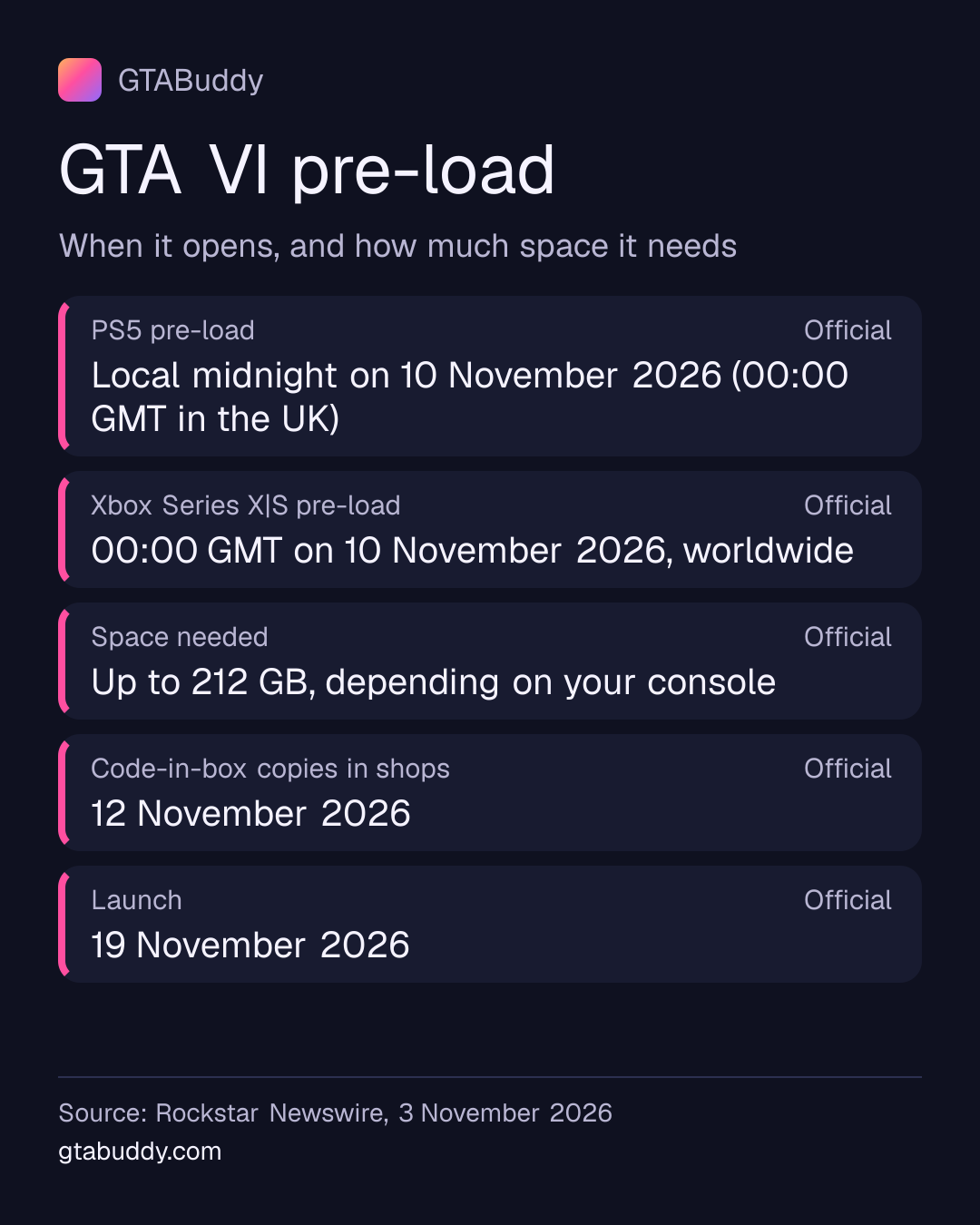
Key dates
- Pre-load opened
- Status: Official
Sources and status for Pre-load opened
Official. Rockstar has confirmed this in its own published material.
Last checked:
- Rockstar Games · Official Rockstar source · Supports this · Published 3 November 2026“Digital pre-loading on PlayStation 5 will begin on Tuesday, November 10 at midnight local time in your respective time zone.”
- Rockstar Games · Official Rockstar source · Supports this · Published 3 November 2026“On XBOX Series X|S, pre-loading begins globally on Tuesday, November 10 at 12 a.m. GMT.”
- Rockstar Games · Official Rockstar source · Supports this“Players who pre-order digital versions of Grand Theft Auto VI will be able to begin pre-loading the game on November 10 at local midnight.”
- Time pre-load opened
- PlayStation 5: at local midnight on 10 November 2026, 00:00 in your own time zone. Xbox Series X|S: at 00:00 GMT on 10 November 2026, the same moment worldwide.
- Status: Official
Sources and status for Time pre-load opened
Official. Rockstar has confirmed this in its own published material.
Last checked:
- Rockstar Games · Official Rockstar source · Supports this · Published 3 November 2026“Digital pre-loading on PlayStation 5 will begin on Tuesday, November 10 at midnight local time in your respective time zone.”
- Rockstar Games · Official Rockstar source · Supports this · Published 3 November 2026“On XBOX Series X|S, pre-loading begins globally on Tuesday, November 10 at 12 a.m. GMT.”
- Rockstar Games · Official Rockstar source · Supports this“On PlayStation 5, digital pre-load begins at midnight local time in your respective time zone on November 10, 2026.”
- Rockstar Games · Official Rockstar source · Supports this“On XBOX Series X|S, digital pre-load begins globally at 12 a.m. GMT on November 10, 2026.”
- Space needed
- Up to 212 GB, depending on your console
- Status: Official
Sources and status for Space needed
Official. Rockstar has confirmed this in its own published material.
Last checked:
- Rockstar Games · Official Rockstar source · Supports this · Published 3 November 2026“The pre-load file will require up to 212 GB depending on your device”
- Code-in-box copies in shops
- Status: Official
Sources and status for Code-in-box copies in shops
Official. Rockstar has confirmed this in its own published material.
Last checked:
- Rockstar Games · Official Rockstar source · Supports this · Published 3 November 2026“Code-in-box versions for both consoles should be available from retailers beginning November 12.”
- Release date
- Status: Official
Sources and status for Release date
Official. Rockstar has confirmed this in its own published material.
Last checked:
- Rockstar Games · Official Rockstar source · Supports this · Published 19 November 2026Newswire, 19 November 2026: “Today we are proud to announce that Grand Theft Auto VI is now available worldwide for PlayStation 5 and XBOX Series X|S.”
- Rockstar Games · Official Rockstar source · Supports this“Release Date November 19, 2026”
- PS5 release time, UK and Ireland
- Status: Strong evidence
Sources and status for PS5 release time, UK and Ireland
Strong evidence. Credible evidence supports this, but Rockstar has not confirmed it.
Applies to: PlayStation 5
Last checked:
- PlayStation (Sony Interactive Entertainment) · Platform store · Supports thisPlayStation Store (United Kingdom) Standard Edition listing data: “"releaseDate":"2026-11-19T00:00:00Z"”
- PlayStation (Sony Interactive Entertainment) · Platform store · Supports thisPlayStation Store (Ireland) Standard Edition listing data: “"releaseDate":"2026-11-19T00:00:00Z"”
- Xbox Series X|S release time, UK and Ireland
- Status: Strong evidence
Sources and status for Xbox Series X|S release time, UK and Ireland
Strong evidence. Credible evidence supports this, but Rockstar has not confirmed it.
Applies to: Xbox Series X|S
Last checked:
- Microsoft (Xbox) · Platform store · Supports thisMicrosoft Store (United Kingdom) Standard Edition listing data: “"releaseDate":"2026-11-19T00:00:00.0000000Z"”
- Microsoft (Xbox) · Platform store · Supports thisMicrosoft Store (Ireland) Standard Edition listing data: “"releaseDate":"2026-11-19T00:00:00.0000000Z"”
- PS5 release time, Germany, France, Spain, Italy and the Netherlands
- Status: Strong evidence
Sources and status for PS5 release time, Germany, France, Spain, Italy and the Netherlands
Strong evidence. Credible evidence supports this, but Rockstar has not confirmed it.
Applies to: PlayStation 5
Last checked:
- PlayStation (Sony Interactive Entertainment) · Platform store · Supports thisPlayStation Store (Germany) Standard Edition listing data: “"releaseDate":"2026-11-18T23:00:00Z"”
- PlayStation (Sony Interactive Entertainment) · Platform store · Supports thisPlayStation Store (France) Standard Edition listing data: “"releaseDate":"2026-11-18T23:00:00Z"”
- PlayStation (Sony Interactive Entertainment) · Platform store · Supports thisPlayStation Store (Spain) Standard Edition listing data: “"releaseDate":"2026-11-18T23:00:00Z"”
- PlayStation (Sony Interactive Entertainment) · Platform store · Supports thisPlayStation Store (Italy) Standard Edition listing data: “"releaseDate":"2026-11-18T23:00:00Z"”
- PlayStation (Sony Interactive Entertainment) · Platform store · Supports thisPlayStation Store (Netherlands) Standard Edition listing data: “"releaseDate":"2026-11-18T23:00:00Z"”
- Xbox Series X|S release time, Germany, France, Spain, Italy and the Netherlands
- Status: Strong evidence
Sources and status for Xbox Series X|S release time, Germany, France, Spain, Italy and the Netherlands
Strong evidence. Credible evidence supports this, but Rockstar has not confirmed it.
Applies to: Xbox Series X|S
Last checked:
- Microsoft (Xbox) · Platform store · Supports thisMicrosoft Store (Germany) Standard Edition listing data: “"releaseDate":"2026-11-18T23:00:00.0000000Z"”
- Microsoft (Xbox) · Platform store · Supports thisMicrosoft Store (France) Standard Edition listing data: “"releaseDate":"2026-11-18T23:00:00.0000000Z"”
- Microsoft (Xbox) · Platform store · Supports thisMicrosoft Store (Spain) Standard Edition listing data: “"releaseDate":"2026-11-18T23:00:00.0000000Z"”
- Microsoft (Xbox) · Platform store · Supports thisMicrosoft Store (Italy) Standard Edition listing data: “"releaseDate":"2026-11-18T23:00:00.0000000Z"”
- Microsoft (Xbox) · Platform store · Supports thisMicrosoft Store (Netherlands) Standard Edition listing data: “"releaseDate":"2026-11-18T23:00:00.0000000Z"”
- Unlock time confirmed by Rockstar
- Not announced
- Status: Unknown
Sources and status for Unlock time confirmed by Rockstar
Unknown. There is not enough evidence to say yet.
Last checked:
- Rockstar Games · Official Rockstar source · ContextStore lists a release date but no unlock time.
Seen 12 November somewhere? Rockstar first gave 12 November for pre-load. On 3 November 2026 its Newswire moved digital pre-load to 10 November, and Rockstar Support’s editions article now says the same (source). 12 November is now the date code-in-box copies reach shops.
When pre-load opened where you live
On PS5, pre-load opened at local midnight: 00:00 in your own time zone on . On Xbox Series X|S it opened at one moment worldwide, 00:00 GMT, which was 01:00 in Central Europe and the evening of 9 November in the US and Canada (North American times). The clocks went back in the UK and Europe on 25 October 2026, so these are winter times:
| Countries | PS5 | Xbox Series X|S |
|---|---|---|
| United Kingdom, Ireland | ||
| Germany, France, Spain, Italy, Netherlands |
On PlayStation 5
These steps follow PlayStation’s own support guide. Your pre-order must be on the same account you use on the console.
- Turn on Stay Connected to the Internet in your PS5 settings.
- From your games home, open Game Library and select Grand Theft Auto VI.
- Select the countdown timer to the game’s release.
- Check that the boxes next to the game’s contents are ticked. A ticked box means auto-download is on.
- Auto-download steps
- 4 steps, as listed above
- Status: Strong evidence
Sources and status for Auto-download steps
Strong evidence. Credible evidence supports this, but Rockstar has not confirmed it.
Applies to: PlayStation 5
Last checked:
- PlayStation (Sony Interactive Entertainment) · Official support documentation · Supports this“From your games home, select Game Library and then select your pre-ordered game.” “A timer counting down to the game's release appears.” “Select the timer.” “If the checkbox next to the content is selected, auto-download is enabled.”
- Keep the console online
- Turn on Stay Connected to the Internet so the game is ready at release
- Status: Strong evidence
Sources and status for Keep the console online
Strong evidence. Credible evidence supports this, but Rockstar has not confirmed it.
Applies to: PlayStation 5
Last checked:
- PlayStation (Sony Interactive Entertainment) · Official support documentation · Supports this“To be ready to play your pre-ordered game when it's released, enable Stay Connected to the Internet”
- When you are charged
- PlayStation Store charges you when you place the pre-order
- Status: Strong evidence
Sources and status for When you are charged
Strong evidence. Credible evidence supports this, but Rockstar has not confirmed it.
Applies to: PlayStation 5
Last checked:
- PlayStation (Sony Interactive Entertainment) · Official support documentation · Supports this“You'll be charged when you select Pre-order for a game on PlayStation Store.”
- Canceling and refunds
- You can cancel a PlayStation Store pre-order for a refund before release. After release, you have 14 days from the pre-order if the download has not started.
- Status: Strong evidence
Sources and status for Canceling and refunds
Strong evidence. Credible evidence supports this, but Rockstar has not confirmed it.
Applies to: PlayStation 5
Last checked:
- PlayStation (Sony Interactive Entertainment) · Official support documentation · Supports this“If you change your mind before the content is released you'll be able to cancel the pre-order and receive a refund. If the game is released and the content hasn't started to download to your PlayStation console, you'll be able to cancel and request a refund within 14 days of making the pre-order.”
If you pre-loaded and then changed your mind: PlayStation’s window for cancelling a pre-order closed when the game came out on . Its 14-day route after release only applies if the download hasn’t started, and pre-loading starts it (source). See how to cancel a pre-order and get a refund.
On Xbox Series X|S
Microsoft says you can pre-install games you have pre-ordered. According to Microsoft’s own support guide, a game from the Microsoft Store installs automatically to your console when all of these are true:
- Your console is set as your home console.
- Your console is powered on or the power mode is set to Sleep.
- Your console is connected to the XBOX network.
- There’s enough storage space for the installation.
- Pre-install a pre-order
- Pre-ordered games can be pre-installed on Xbox
- Status: Strong evidence
Sources and status for Pre-install a pre-order
Strong evidence. Credible evidence supports this, but Rockstar has not confirmed it.
Applies to: Xbox Series X|S
Last checked:
- Microsoft (Xbox) · Platform store · Supports this“Pre-install your pre-ordered games, remote install games while away from your console, and turn on auto-update so your games are waiting for you.”
- When it installs automatically
- 4 conditions, as listed above
- Status: Strong evidence
Sources and status for When it installs automatically
Strong evidence. Credible evidence supports this, but Rockstar has not confirmed it.
Applies to: Xbox Series X|S
Last checked:
- Microsoft (Xbox) · Official support documentation · Supports this“it installs automatically to your console if:” “Your console is set as your home console.” “Your console is powered on or the power mode is set to Sleep.” “Your console is connected to the XBOX network.” “There’s enough storage space for the installation.”
- Where to install it
- Games optimized for Xbox Series X|S must be installed on internal storage or a Storage Expansion Card
- Status: Strong evidence
Sources and status for Where to install it
Strong evidence. Credible evidence supports this, but Rockstar has not confirmed it.
Applies to: Xbox Series X|S
Last checked:
- Microsoft (Xbox) · Official support documentation · Supports this“To play games that are optimized for XBOX Series X|S, they must be installed on your console’s internal storage (the default location) or Storage Expansion Card (sold separately).”
- When you’re charged
- Card payments are taken around 10 days before release; account balance is taken when you pre-order
- Status: Strong evidence
Sources and status for When you’re charged
Strong evidence. Credible evidence supports this, but Rockstar has not confirmed it.
Applies to: Xbox Series X|S
Last checked:
- Microsoft (Xbox) · Official support documentation · Supports this“If you used account credit to pre-order your game, your balance will be taken immediately.” “you'll be charged around 10 days before the early access period or the release date”
- Canceling and refunds
- You can cancel up to 10 days before launch from your Microsoft account order history; after that you need to request a refund
- Status: Strong evidence
Sources and status for Canceling and refunds
Strong evidence. Credible evidence supports this, but Rockstar has not confirmed it.
Applies to: Xbox Series X|S
Last checked:
- Microsoft (Xbox) · Official support documentation · Supports this“you can do this up to 10 days before the game launches by signing in to your Microsoft account and going to your order history page. After this time, you may be billed, and to cancel you'll need to request a refund.”
For GTA VI, that 10-day point has passed: 10 days before was 9 November 2026. Microsoft says that after it, you may be billed, and to cancel you need to request a refund (source).
For anything else, see Xbox Support’s pre-order guide.
PS5 pre-load and Xbox pre-install: the same idea
PlayStation calls it pre-loading and Microsoft calls it pre-installing. In both cases a pre-ordered game downloads before launch and unlocks at release.
| Question | PlayStation 5 | Xbox Series X|S |
|---|---|---|
| Name | Pre-load (auto-download) | Pre-install |
| Starts | Local midnight, 10 November 2026 | 00:00 GMT, 10 November 2026, worldwide |
| What to set up | Stay Connected to the Internet; auto-download boxes ticked | Home console; powered on or Sleep; online; enough storage |
| You’re charged | When you pre-order | Card: around 10 days before release |
Check your free space
Rockstar says the pre-load needs up to 212 GB, depending on your console. Check your space now. These steps come from PlayStation’s and Microsoft’s own storage help. For what each figure means, see our fact check on how much space GTA VI needs.
On PS5
- From the home screen, select Settings > Storage to see how much free space you have.
- To make room, delete games and apps you don’t need, or move PS5 games to USB extended storage or M.2 SSD storage.
- Rockstar says the GTA VI download needs up to 212 GB. PlayStation’s general help adds that installing can need about twice the space of the data, so if a download stops for lack of space, free up more.
- Where to check
- From the home screen, select Settings > Storage
- Status: Strong evidence
Sources and status for Where to check
Strong evidence. Credible evidence supports this, but Rockstar has not confirmed it.
Applies to: PlayStation 5
Last checked:
- PlayStation (Sony Interactive Entertainment) · Official support documentation · Supports this“To check how much free storage space you have, go to the home screen and select Settings > Storage.”
- Space needed while installing
- Installing may need about twice the free space the data requires
- Status: Strong evidence
Sources and status for Space needed while installing
Strong evidence. Credible evidence supports this, but Rockstar has not confirmed it.
Applies to: PlayStation 5
Last checked:
- PlayStation (Sony Interactive Entertainment) · Official support documentation · Supports this“When installing data, it may be necessary to reserve approximately twice the free space required.”
- Games on USB extended storage
- PS5 games on USB extended storage must be moved back to console storage or M.2 SSD storage to play
- Status: Strong evidence
Sources and status for Games on USB extended storage
Strong evidence. Credible evidence supports this, but Rockstar has not confirmed it.
Applies to: PlayStation 5
Last checked:
- PlayStation (Sony Interactive Entertainment) · Official support documentation · Supports this“To play PS5 games, you need to move game data from your USB extended storage drive back to your PS5 console storage or M.2 SSD storage.”
On Xbox Series X|S
- Press the Xbox button, then select Profile & system > Settings > System > Storage devices.
- Each drive shows how much space is used and how much is free.
- To make room, uninstall games you’re not playing. Microsoft says you keep the game and your progress.
- Where to check
- Profile & system > Settings > System > Storage devices shows each drive’s used and free space
- Status: Strong evidence
Sources and status for Where to check
Strong evidence. Credible evidence supports this, but Rockstar has not confirmed it.
Applies to: Xbox Series X|S
Last checked:
- Microsoft (Xbox) · Official support documentation · Supports this“Select Profile & system > Settings > System > Storage devices.” “On the Storage devices screen, a graphic for each drive displays the percentage of space used and available free space.”
- Uninstalling a game
- Uninstalling a game from the console doesn’t remove the game or your progress
- Status: Strong evidence
Sources and status for Uninstalling a game
Strong evidence. Credible evidence supports this, but Rockstar has not confirmed it.
Applies to: Xbox Series X|S
Last checked:
- Microsoft (Xbox) · Official support documentation · Supports this“You won't lose games or game progress by removing them from your console storage.”
- GTA VI install size in Microsoft Store’s data
- 225,336,643,584 bytes: 225.3 GB, which is 209.9 GiB
- Status: Strong evidence
Sources and status for GTA VI install size in Microsoft Store’s data
Strong evidence. Credible evidence supports this, but Rockstar has not confirmed it.
Applies to: Xbox Series X|S
Last checked:
- Microsoft (Xbox) · Platform store · Supports thisMicrosoft Store’s UK listing data: “"maxInstallSize":225336643584”
- Microsoft (Xbox) · Platform store · ContextMicrosoft Store’s US listing data: “"maxInstallSize":225336643584”
Microsoft’s own figure for Xbox. On 22 November 2026, Microsoft Store’s listing data gave GTA VI’s maximum install size as 225,336,643,584 bytes. Since 9 November (225,336,918,016 bytes) it has moved by less than 1 MB, and the rounded size hasn’t changed. That is 225.3 GB counted in decimal units, or 209.9 GiB counted in binary units. Rockstar doesn’t say which unit its “up to 212 GB” uses. The store page itself shows no size, Microsoft doesn’t say which Xbox the figure is for, and it can still change. It is an install size, not the download size.
Will GTA VI fit on a 512 GB Xbox Series S?
Yes, if your console has enough free space. Rockstar says the pre-load needs up to 212 GB, and Microsoft Store’s data gives an install size of 225.3 GB (above). Microsoft doesn’t say how much of a Series S drive is free for games, and the games and apps you already have use some too. So check the free space in Storage devices, as above. If it shows less than about 226 GB, uninstall games you’re not playing, or add a Storage Expansion Card.
Can you play it from a USB drive?
No, on either console. Microsoft Store lists GTA VI as Optimized for Xbox Series X|S, and Microsoft says those games must be on the internal SSD or a Storage Expansion Card to play. On PS5, games on USB extended storage must go back to console storage or an M.2 SSD before you can play them. You can still move other PS5 games to a USB drive to make room.
- GTA VI on Xbox
- Optimized for Xbox Series X|S
- Status: Strong evidence
Sources and status for GTA VI on Xbox
Strong evidence. Credible evidence supports this, but Rockstar has not confirmed it.
Applies to: Xbox Series X|S
Last checked:
- Microsoft (Xbox) · Platform store · Supports thisCapabilities: “Optimised for Xbox Series X|S”
- Where Optimized games must be installed
- Games Optimized for Xbox Series X|S must be installed on the console’s internal SSD or a Storage Expansion Card to play
- Status: Strong evidence
Sources and status for Where Optimized games must be installed
Strong evidence. Credible evidence supports this, but Rockstar has not confirmed it.
Applies to: Xbox Series X|S
Last checked:
- Microsoft (Xbox) · Official support documentation · Supports this“Note that to play Optimised for XBOX Series X|S titles, games must be installed on the console's internal SSD (the default install location) or the Storage Expansion Card for XBOX Series X|S (sold separately).”
- Xbox Storage Expansion Card
- The Storage Expansion Card adds 2 TB, 1 TB or 512 GB and performs the same as the internal SSD
- Status: Strong evidence
Sources and status for Xbox Storage Expansion Card
Strong evidence. Credible evidence supports this, but Rockstar has not confirmed it.
Applies to: Xbox Series X|S
Last checked:
- Microsoft (Xbox) · Official support documentation · Supports this“The Storage Expansion Card for XBOX Series X|S is an optional external solid-state drive (SSD) that adds 2 TB, 1 TB or 512 GB of lightning-fast storage to your XBOX Series X|S console.” “The Storage Expansion Card performs identically to the console's internal SSD.”
How long the download will take
The time depends on the download size and your speed. Rockstar gives up to 212 GB as the space the pre-load needs, not an exact download size, so 212 GB gives a rough upper estimate. Enter 212, or your own size.
Enter a download size. Enter a size in GB. Rockstar says the pre-load needs up to 212 GB; the exact download size on each console isn’t published, so 212 gives a rough upper estimate.
Broadband plans are sold in Mbps (megabits). Download screens often show MB/s (megabytes); 1 MB/s is 8 Mbps. 1 GB here is 1,000,000,000 bytes.
| Speed | Time per 100 GB | Time for 212 GB (Rockstar’s maximum) |
|---|---|---|
| 25 Mbps | 8 hours 54 minutes | 18 hours 51 minutes |
| 50 Mbps | 4 hours 27 minutes | 9 hours 26 minutes |
| 100 Mbps | 2 hours 14 minutes | 4 hours 43 minutes |
| 300 Mbps | 45 minutes | 1 hour 35 minutes |
| 500 Mbps | 27 minutes | 57 minutes |
| 1000 Mbps | 14 minutes | 29 minutes |
Pre-load hasn’t started?
- Check the date: pre-load opened on 10 November 2026, at 00:00 local time on PS5 and at 00:00 GMT on Xbox, and only for a pre-order on the account you’re signed in with.
- Bought a physical copy? Redeem the code first. Code-in-box copies reach shops from 12 November 2026, and Rockstar says a code works as soon as you have it.
- On PS5: open the game’s countdown timer in Game Library and check that the auto-download boxes are ticked.
- On Xbox: check that it’s your home console, it’s on or in Sleep, it’s online and there’s enough space.
- Still stuck? Follow the console makers’ fixes in GTA VI launch-day problems.
- When codes start pre-loading
- The code in a boxed copy can be used as soon as you receive it. Boxed copies are expected at retailers, for shipping and pickup, from 12 November 2026.
- Status: Official
Sources and status for When codes start pre-loading
Official. Rockstar has confirmed this in its own published material.
Last checked:
- Rockstar Games · Official Rockstar source · Supports this“Codes can be used as soon as they are received to support pre-load.”
- Rockstar Games · Official Rockstar source · Supports this“The physical version of GTAVI is expected to become available for shipping and pickup from retailers starting on November 12.”
Physical copies (code in the box)
Physical copies don’t contain a disc, so you pre-load them by redeeming the code. To check that a code will work with your account, see GTA VI codes and regions.
- What’s in the box
- Download code in the box. No disc is included.
- Status: Official
Sources and status for What’s in the box
Official. Rockstar has confirmed this in its own published material.
Last checked:
- Rockstar Games · Official Rockstar source · Supports this“Physical versions will only contain a download code inside the box. A disc will not be included in the box.”
- What you need
- An internet connection and a platform account are needed to download the game from the code
- Status: Official
Sources and status for What you need
Official. Rockstar has confirmed this in its own published material.
Last checked:
- Rockstar Games · Official Rockstar source · Supports thisFAQ “What is a code-in-box?”: “An internet connection and platform account are required to download the game.”
- Rockstar Store shipping time
- Rockstar Store estimates 1–7 days, depending on the shipping option
- Status: Official
Sources and status for Rockstar Store shipping time
Official. Rockstar has confirmed this in its own published material.
Last checked:
- Rockstar Games · Official Rockstar source · Supports thisFAQ “When does the code-in-box ship?”: “Physical orders will ship in an estimated 1–7 days, depending on shipping selection.”
- PlayStation code region locks
- UK: codes shipped to the United Kingdom only work with a UK PlayStation account.
- EU and rest of Europe: codes shipped elsewhere in Europe only work with a PlayStation account registered in Austria, Belgium, Czechia, Denmark, Finland, France, Germany, Ireland, Italy, Luxembourg, Netherlands, Norway, Poland, Portugal, Spain, Sweden or Switzerland.
- North America: codes shipped to the United States and Canada only work with a PlayStation account registered in those countries.
- Status: Official
Sources and status for PlayStation code region locks
Official. Rockstar has confirmed this in its own published material.
Last checked:
- Rockstar Games · Official Rockstar source · Supports thisFAQ “What is a code-in-box?”: “PlayStation codes are region-locked as follows”
If your box arrives after pre-load opened
Rockstar now estimates 1–7 days for a Rockstar Store box to ship, depending on the shipping option (source). Rockstar says codes can be used as soon as you receive them (source).
- It arrives before 19 November 2026: redeem the code when it arrives and the pre-load starts. Rockstar says codes can be used as soon as you receive them, to support pre-load from (source).
- It arrives on or after 19 November 2026: there is nothing left to pre-load. Redeem the code and the full game downloads. Work out how long the download will take.
- The free GTA+ month: not included with a physical copy. Rockstar lists it for digital purchases only.
- Who to ask about a late box: for a Rockstar Store order, Xsolla support; for any other shop, that retailer. Rockstar’s purchase FAQ points delivery questions there.
- Free GTA+ month with a physical copy
- Not included. Rockstar lists the free GTA+ month for digital purchases only.
- Status: Official
Sources and status for Free GTA+ month with a physical copy
Official. Rockstar has confirmed this in its own published material.
Last checked:
- Rockstar Games · Official Rockstar source · Supports this“Players who purchase the digital version of GTAVI prior to November 20 will receive one month of GTA+ Membership at no extra cost, available to redeem immediately from the platform store.”
- Rockstar Games · Official Rockstar source · Context“Physical pre-orders will contain the following:” lists the game and the Vintage Vice City Pack, with no GTA+ month.
- Who to contact
- PlayStation Store or Microsoft Store purchase: PlayStation Support or Xbox Support
- Physical copy from the Rockstar Store: Xsolla support, which also handles cancellations
- Any other retailer: the retailer you bought from, for purchase, refund and delivery questions
- Status: Official
Sources and status for Who to contact
Official. Rockstar has confirmed this in its own published material.
Last checked:
- Rockstar Games · Official Rockstar source · Supports this“Where can I get support for my Grand Theft Auto VI pre-order purchases from the PlayStation or Xbox storefronts?” (answer: PlayStation Support and Xbox Support)
- Rockstar Games · Official Rockstar source · Supports this“For issues with physical version purchases completed on the Rockstar Store, contact Xsolla support at the link below:”
- Rockstar Games · Official Rockstar source · Supports this“If you pre-ordered a physical copy of Grand Theft Auto VI from the Rockstar Store, you can cancel your purchase by following the steps in the link below:”
- Rockstar Games · Official Rockstar source · Supports this“Any purchase, refund, and delivery questions regarding Grand Theft Auto VI purchases not from the Rockstar Store should be directed to the retailer where you purchased Grand Theft Auto VI.”
What we don’t know yet
- Rockstar’s own unlock time. The console stores list midnight local time; see GTA 6 release time by country.
- The exact download size on each console, and any install size for PS5. Rockstar gives only the most space the pre-load needs, up to 212 GB, and Microsoft Store’s data gives one install size for Xbox (above), so check your free space early.
- How much of a 512 GB Xbox Series S is free for games. Microsoft doesn’t publish it; your console shows it in Storage devices.
- Whether there will be a day-one update.
If something goes wrong on the day, see GTA VI launch-day problems and fixes. For prices, editions and pre-order bonuses, see GTA VI release date, pre-load and editions.
Sources for this page
- Grand Theft Auto VI | Microsoft Store on Xbox.com (Germany) (Microsoft (Xbox)), checked
- XBOX Digital Games (Microsoft (Xbox)), checked
- Grand Theft Auto VI | Microsoft Store on Xbox.com (Spain) (Microsoft (Xbox)), checked
- Grand Theft Auto VI | Microsoft Store on Xbox.com (France) (Microsoft (Xbox)), checked
- Grand Theft Auto VI | Microsoft Store on Xbox.com (United Kingdom) (Microsoft (Xbox)), checked
- Grand Theft Auto VI | Microsoft Store on Xbox.com (Ireland) (Microsoft (Xbox)), checked
- Grand Theft Auto VI | Microsoft Store on Xbox.com (Italy) (Microsoft (Xbox)), checked
- Grand Theft Auto VI | Microsoft Store on Xbox.com (Netherlands) (Microsoft (Xbox)), checked
- Grand Theft Auto VI | Microsoft Store on Xbox.com (United States) (Microsoft (Xbox)), checked
- Use the Storage Expansion Card for XBOX Series X|S (Microsoft (Xbox)), checked
- How to install games and apps on an XBOX console (Microsoft (Xbox)), checked
- Manage storage on your XBOX console (Microsoft (Xbox)), checked
- Pre-order XBOX digital games in the Microsoft Store (Microsoft (Xbox)), checked
- Grand Theft Auto VI | PlayStation Store (Germany) (PlayStation (Sony Interactive Entertainment)), checked
- Grand Theft Auto VI | PlayStation Store (Spain) (PlayStation (Sony Interactive Entertainment)), checked
- Grand Theft Auto VI | PlayStation Store (France) (PlayStation (Sony Interactive Entertainment)), checked
- Grand Theft Auto VI | PlayStation Store (United Kingdom) (PlayStation (Sony Interactive Entertainment)), checked
- Grand Theft Auto VI | PlayStation Store (Ireland) (PlayStation (Sony Interactive Entertainment)), checked
- Grand Theft Auto VI | PlayStation Store (Italy) (PlayStation (Sony Interactive Entertainment)), checked
- Grand Theft Auto VI | PlayStation Store (Netherlands) (PlayStation (Sony Interactive Entertainment)), checked
- PS5 error code CE-107872-5 (PlayStation (Sony Interactive Entertainment)), checked
- How to manage storage space on your PS5 console (PlayStation (Sony Interactive Entertainment)), checked
- How to pre-order and auto-download games from PlayStation Store (PlayStation (Sony Interactive Entertainment)), checked
- Grand Theft Auto VI (Rockstar Games), checked
- Grand Theft Auto VI Now Available (Rockstar Games, published 19 November 2026), checked
- Grand Theft Auto VI Pre-Load Begins on November 10 (Rockstar Games, published 3 November 2026), checked
- Grand Theft Auto VI | Rockstar Store (Rockstar Games), checked
- Grand Theft Auto VI Platforms, Editions, and Versions (Rockstar Games), checked
- Redeeming the One-Month GTA+ Membership Included with Your Grand Theft Auto VI Pre-Order (Rockstar Games), checked
- Grand Theft Auto VI Pre-Order Purchase Support FAQ (Rockstar Games), checked