How to save in GTA 6, and why you shouldn’t trust autosave alone
Quick answer
Pause the game (Options on PS5, Menu on Xbox), open the Game tab, choose Save Game and pick a slot. You can only save in free roam, not during a mission. GTA 6 does autosave, but only after main story missions and some bigger side missions, so anything you do after that is lost if you switch off. Update 01.002.002 fixed an autosave bug, but a manual save before you quit is still the safe habit.
Reported, not yet tested by GTABuddy. This guide comes from VGC, Kotaku, Dexerto and Notebookcheck. We state something only when at least two of them agree; where only one says it, we name them.
- Save from
- Pause menu, Game tab Status: Strong evidence
- Slots
- 15, plus an autosave Status: Strong evidence
- During missions
- No saving Status: Strong evidence
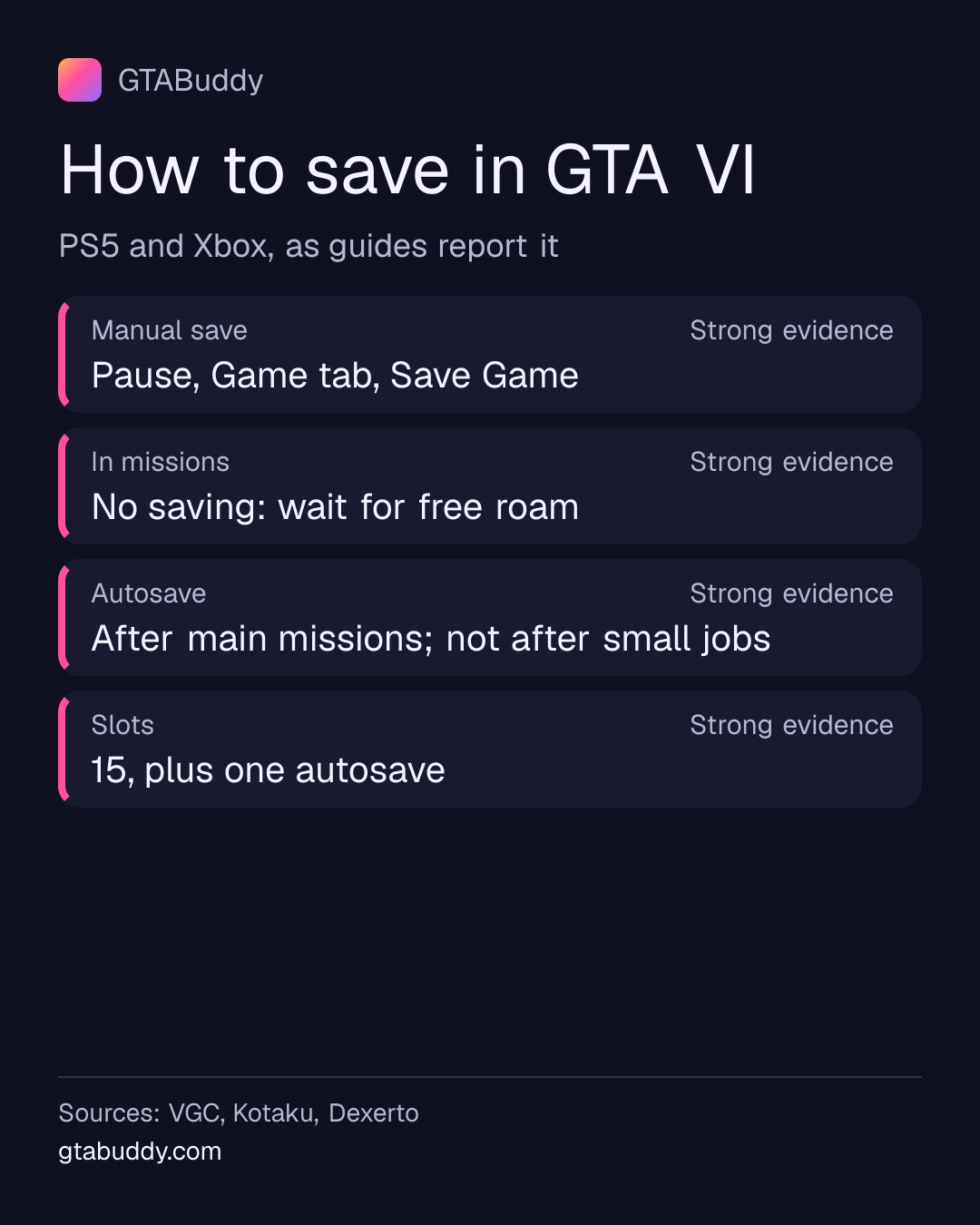
How to save manually on PS5 and Xbox
- Finish or leave any mission first: in a mission, the save option is greyed out.
- Press Options on PS5 or Menu on Xbox Series X|S to pause.
- Open the Game tab and choose Save Game.
- Pick an empty slot for a new save, or an old one to overwrite it.
The same Game tab is where you load a save or start a new game. Make a fresh save at the end of each session, and keep a few older ones too, so you can go back if something goes wrong.
- How to save
- Save by hand from the pause menu: open the Game tab and choose Save Game, then pick a slot
- Status: Strong evidence
Sources and status for How to save
Strong evidence. Credible evidence supports this, but Rockstar has not confirmed it.
Last checked:
- VGC · Reputable reporting · Supports this“From here, head to the “Game” menu option. Here you can save your game, load a save or start a new game.”
- Kotaku · Reputable reporting · Supports this · Published 19 November 2026“Open the menu, go to the Game section, and you’ll see the option to load or save.”
- Dexerto · Reputable reporting · Supports this“Press Options on PS5 or Menu on Xbox Series X|S to pause the game.”
- Dexerto · Reputable reporting · Supports this“Open the Game tab and select Save Game”
- During missions
- You can’t save during a mission, and the game doesn’t autosave mid-mission; save in free roam
- Status: Strong evidence
Sources and status for During missions
Strong evidence. Credible evidence supports this, but Rockstar has not confirmed it.
Last checked:
- VGC · Reputable reporting · Supports this“You also can’t save your game when you are mid-mission, which Rockstar says is to stop players from reaching an in-game choice, saving, and then checking the other options.”
- Kotaku · Reputable reporting · Supports this · Published 19 November 2026“The game also just does not auto-save during missions, period, so anything you do between starting a mission and finishing it will not be retained if you turn off the console or lose power.”
- Dexerto · Reputable reporting · Supports this“the save option will be greyed out, so you'll have to wait until you return to free roam.”
When GTA 6 autosaves, and when it doesn’t
- Autosaves: after main story missions and some larger side missions. Dexerto adds that it can also save after being killed or arrested.
- No autosave: during missions, and after smaller jobs and errands. Kotaku’s example: fetching your neighbor some rum doesn’t save the game.
- Unreliable at launch: early players found autosave inconsistent, and some reported losing progress.
- When it autosaves
- The game autosaves after main story missions and some larger side missions, but not after smaller activities, and early players found it inconsistent
- Status: Strong evidence
Sources and status for When it autosaves
Strong evidence. Credible evidence supports this, but Rockstar has not confirmed it.
Last checked:
- VGC · Reputable reporting · Supports this“From early testing, it appears that GTA 6 will auto save after major single player missions, and some side missions. However, it is inconsistent.”
- Kotaku · Reputable reporting · Supports this · Published 19 November 2026“Based on our testing, GTA 6 will save after main story missions and larger side missions.”
- Kotaku · Reputable reporting · Supports this · Published 19 November 2026“Getting your neighbor some rum does not automatically save the game”
- Dexerto · Reputable reporting · Supports this“The game saves automatically after you finish a mission and can also do so after certain open-world events, including getting killed or arrested.”
- VGC · Reputable reporting · Supports this · Published 23 November 2026“Players have been reporting issues with autosaving since the game’s release, with some saying they experienced save data loss resulting in the initial portion of their progress in the game disappearing.”
- Notebookcheck · Reputable reporting · Context · Published 19 November 2026“Since the prologue and certain mission checkpoints don’t trigger the system, manually saving is a wise precaution.”
How many save slots are there?
15. There’s one autosave, and each new autosave replaces the last. The guides disagree on one detail: VGC says the autosave takes up one of the 15 slots, while Dexerto describes 15 manual slots plus a separate autosave slot. Either way, when the slots are full you overwrite an old save.
- Slots
- There are 15 save slots and one autosave; guides disagree on whether the autosave uses one of the 15
- Status: Strong evidence
Sources and status for Slots
Strong evidence. Credible evidence supports this, but Rockstar has not confirmed it.
Last checked:
- VGC · Reputable reporting · Supports this“There are 15 save slots by default in GTA 6. One of the slots is taken by your auto save.”
- Dexerto · Reputable reporting · Supports this“Keep in mind, there are only 15 different manual save slots”
- Dexerto · Reputable reporting · Supports this“one dedicated auto-save slot”
- Dexerto · Reputable reporting · Supports this“Each new auto-save replaces the previous one”
Did the update fix autosave?
Update 01.002.002, out on 23 November 2026, lists a fix for “the game not autosaving correctly”. Install it, but keep saving by hand before you quit: VGC gives the same advice. See everything the update fixes.
- Autosave fix
- Update 01.002.002 (23 November 2026) fixed the game not autosaving correctly; guides still advise saving by hand
- Status: Strong evidence
Sources and status for Autosave fix
Strong evidence. Credible evidence supports this, but Rockstar has not confirmed it.
Last checked:
- VGC · Reputable reporting · Supports this · Published 23 November 2026Patch notes: “Fixed an issue that resulted in the game not autosaving correctly”
- Beebom · Reputable reporting · Supports thisPatch notes: “Fixed an issue that resulted in the game not autosaving correctly”
- VGC · Reputable reporting · Context · Published 23 November 2026“VGC advises players to pause and manually save the game to be sure.”
Tips only one guide mentions
- VGC: you can’t save while you’re being chased.
- Dexerto: loading an older save can overwrite your autosave, so save your current progress to a spare slot first. A manual save is also the only way to replay a mission you’ve finished.
- Notebookcheck: autosaves don’t appear in the save menu; load them from the Load Game menu instead.
- As reported
- Details only one guide reports: no saving while chased (VGC); loading an old save can overwrite the autosave, and a manual save is the only way to replay a mission (Dexerto); autosaves are loaded from the Load Game menu (Notebookcheck)
- Status: Strong evidence
Sources and status for As reported
Strong evidence. Credible evidence supports this, but Rockstar has not confirmed it.
Last checked:
- VGC · Reputable reporting · Supports this“You also can’t save if you’re being pursued, and the game won’t autosave when you’re in combat, or, weirdly, falling.”
- Dexerto · Reputable reporting · Supports this“Loading an older manual save can also replace your auto-save, so make a manual backup of your current progress before going back.”
- Dexerto · Reputable reporting · Supports this“replay missions you've already completed , as there is no dedicated menu for going back and returning to moments from the”
- Notebookcheck · Reputable reporting · Supports this · Published 19 November 2026“Gamers may also not realize the save game menu doesn’t display autosaves. When a crash strikes, they must access the separate load game interface to restore their progress.”
Related: the best settings to change first and the Criminal Profile explained.
Sources for this page
- GTA 6 Patch Notes and Updates Tracker (Beebom), checked
- GTA 6: How to save (Dexerto), checked
- Be Careful With Auto-Saving In GTA 6, It Doesn’t Happen As Often As You Think (Kotaku, published 19 November 2026), checked
- GTA 6 PS5 and Xbox crashes are losing hours of progress, despite autosave system (Notebookcheck, published 19 November 2026), checked
- GTA 6 PSA: Here’s how GTA 6 autosave works (VGC), checked
- Grand Theft Auto 6 has received a new update which fixes autosaving (VGC, published 23 November 2026), checked